PC passport with index and rank
One power index instead of a dozen benchmarks, plus your place among real gamers in your country from anonymous scan stats.
FPSHQ Pro knows your computer: it calculates a power index, shows your rank among gamers in your country, checks your whole Steam library, finds the weak link and picks graphics settings for your monitor — for every game.
FPS calculators check one game on one piece of hardware. Pro works with your whole PC and all your games — and keeps itself up to date.
One power index instead of a dozen benchmarks, plus your place among real gamers in your country from anonymous scan stats.
One-click Steam import: for every game — will it run, the expected FPS and the best preset.
Not “on average”, but exactly where your PC hits the wall: GPU, CPU, memory or monitor.
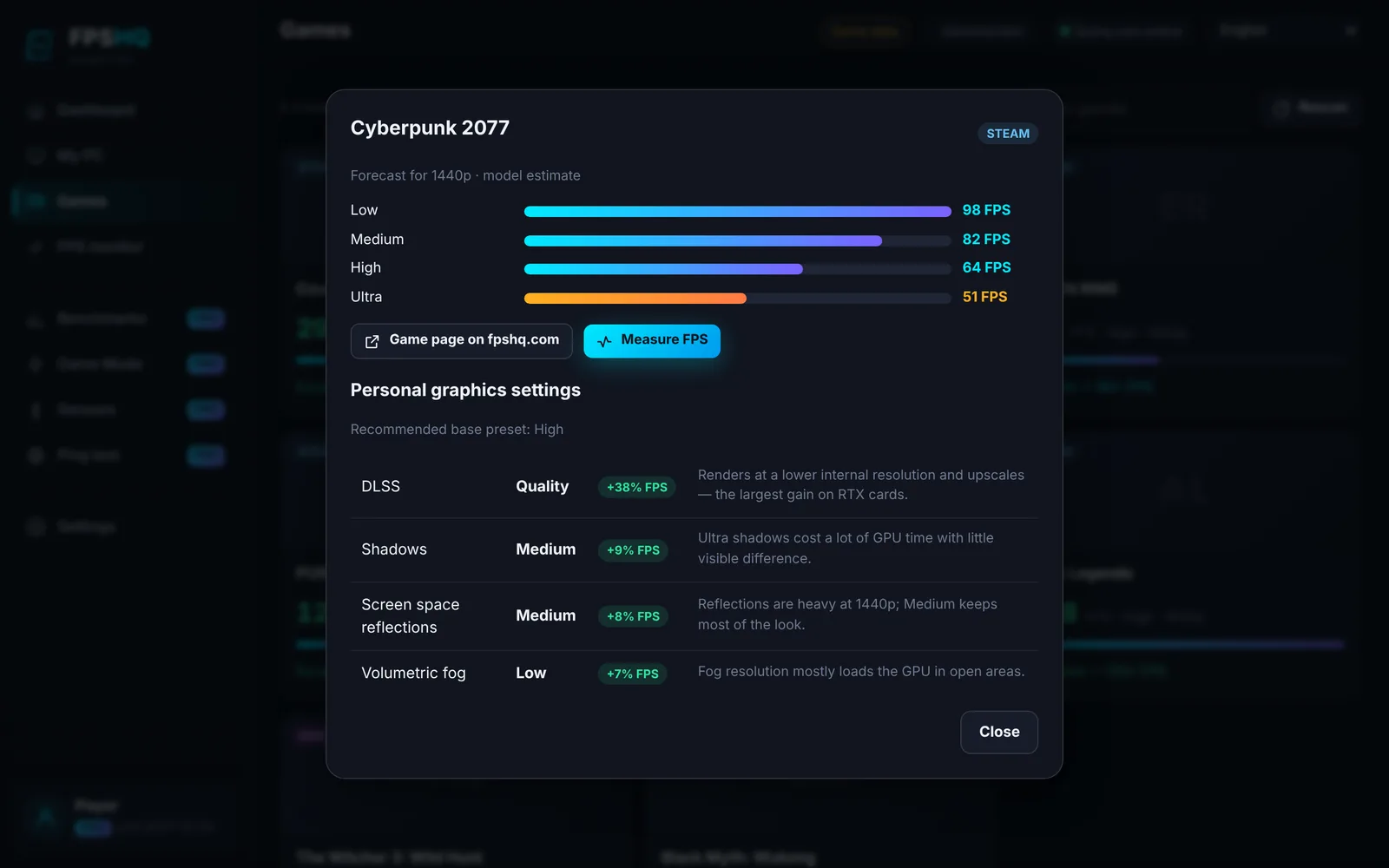
A preset for your refresh rate, DLSS/FSR/XeSS, ray tracing, frame cap — for any GPU, including AMD and Intel.
How many FPS each graphics card adds in your games, what +1 FPS costs, and an alert when the price drops.
The FPSHQ app records in-game FPS and compares it with the model and the community median — so you see if your PC is fine.
Example: the FPSHQ model picked the best-looking graphics that hold ≈104 FPS for a 90 FPS target.

The FPSHQ app for Windows records average FPS, 1% lows and frame times right in the game and saves them to your passport.
| Free | PRO | |
|---|---|---|
| PC passport & power index | ✓ | ✓ |
| Rank among gamers in your country | ✓ | ✓ |
| Number of PCs | 1 | up to 10 |
| “Can it run” verdicts for games | first 30 | all |
| Weak link based on your games | ✓ | ✓ |
| Upgrade plan for your budget | ✓ | ✓ |
| Graphics settings for your PC | 1 game (example) | every game |
| Hardware price alerts | 1, in a digest | unlimited, instant |
| FPS benchmark history | last 5 | all |
| FPSHQ app | basic | all + Pro |
| No ads | — | ✓ |
| “My PC” card | ✓ | ✓ |
| Discount in the FPSHQ store | — | −5% (soon) |
Prices for your region in USD. No auto-charges: renew whenever you like.
Try it for a month
Choose≈ $1.67 per month
ChooseSpots left: 500
Choose🛡 14-day money-back guarantee — per the terms, no questions asked. Terms & refunds
Share your link: when a friend pays for Pro for the first time, you both get +7 days. It’s a bonus in days, not a cash affiliate program.
A subscription on top of the free PC Passport: “can it run” verdicts for your whole library, personal graphics settings for every game, several PCs, unlimited price alerts, instant notifications, full FPS benchmark history, an ad-free site and Pro features in the FPSHQ app.
A subscription on top of the free PC Passport: “can it run” verdicts for your whole library, personal graphics settings for every game, several PCs, unlimited price alerts, instant notifications, full FPS benchmark history, an ad-free site and Pro features in the FPSHQ app.
NVIDIA App only works with NVIDIA graphics cards and doesn’t know your library, and calculators check one game at a time. FPSHQ Pro works with any GPU (NVIDIA, AMD, Intel), with your whole library, and shows where your PC ranks among gamers in your country.
No. 7 days of Pro for free without a card — once per account and device. Nothing is charged when it ends.
No, there are no automatic charges. We remind you 3 days before it ends and you decide whether to renew.
Yes: within 14 days of payment — in full and with no questions asked, per the terms. Send us your order number.
Checkout shows the payment methods available for your country. If online payment isn’t available, choose “Pay on request”: we’ll send payment details and enable Pro right after payment.
Click “Gift Pro”, choose a period and sign the card. After payment you get a code and a link — your friend activates the gift in one click within 12 months.
When a friend pays for Pro for the first time via your link, you both get +7 days of Pro. It’s a bonus in access days, not a cash affiliate program.
No, Pro works on the website. The FPSHQ app for Windows adds exact PC specs and real in-game FPS benchmarks; it connects to your account with a short code.
Only what you saved: hardware models, your game list and benchmarks from the app. Only anonymised data goes into shared stats. A public PC card is created only with your consent.
The PC passport is free. Pro — when you want to squeeze out the maximum.
Unique FPSHQ metrics from this page's data
Records in the database by section: games, FPS measurements, GPUs, mobile chips and games, CPUs, emulators.
FPSHQ is a games and PC database: 158,101 games with system requirements, 1,965 GPUs and 456 CPUs with performance scores, 165 mobile chips, 49 emulators and an FPS database (measurements: 106 independent measurements and 4,800 rows of aggregated review data; model estimates: 47,950). The single FPSHQ model estimates FPS for any game + GPU + CPU combination at 1080p/1440p/4K; 1,370 users have completed the online PC test. Every number on the pages comes from this database, with an update date and a link to the methodology.
This page uses the FPSHQ database: the GPU and CPU catalogue with synthetic benchmark scores, official game system requirements, FPS measurements from users of the FPSHQ app and the FPSHQ performance model. Calculated values are estimates, not a measurement of your exact configuration: the real result depends on drivers, settings and the rest of the hardware. More about the methodology →