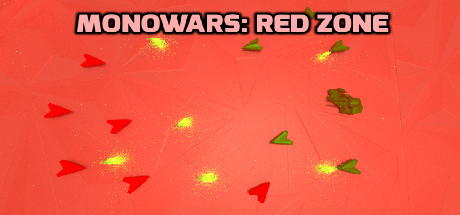
MONOWARS: Red Zone
MONOWARS: Red Zone has an FPSHQ demand score of 55/100: moderate requirements — runs on mid-range cards like the RTX 3060 / RX 6600. Source of the numbers: per the system requirements on Steam.
MONOWARS: Red Zone is a game by Conquesoft. Steam release date: August 14, 2018. Minimum graphics card per Steam: GeForce 8600 GT / ATI Radeon HD 3450. It needs at least 2 GB of RAM.
Description
Warp into battle against massive monochrome networks controlled by the CrimsonSync AI group. Upgrade your tank and your army as the enemy adapts against your one conquestive mission; eliminating all of them.
Data: the game’s Steam store page
About the game
- Developer
- Conquesoft
- Publisher
- Conquesoft
- Release date
- August 14, 2018
- PC platforms
- Windows
- Steam store page
- store.steampowered.com/app/905890
MONOWARS: Red Zone system requirements
| Component | Minimum | Recommended |
|---|---|---|
| OS | Windows 7 or later | Windows 7 or later |
| Processor | Intel Core 2 Duo 2.4Ghz / AMD Athlon 64 X2 2.4Ghz | Intel Core 2 Duo 2.4Ghz / AMD Athlon 64 X2 2.4Ghz |
| Memory | 2 GB ОЗУ | 2 GB ОЗУ |
| Graphics | GeForce 8600 GT / ATI Radeon HD 3450 | GeForce 8600 GT / ATI Radeon HD 3450 |
| DirectX | версии 9.0 | версии 9.0 |
| Storage | 250 MB | 250 MB |
| Network | Широкополосное подключение к интернету | Широкополосное подключение к интернету |
| Sound card | DirectX 9.0 or higher compatible sound card | DirectX 9.0 or higher compatible sound card |
| Notes | Scripting and physics are the greatest factors to RAM intensity | Scripting and physics are the greatest factors to RAM intensity |
Source: the game’s Steam page — requirements published by the developer.
How big is MONOWARS: Red Zone and does it need an SSD
MONOWARS: Red Zone needs 250 MB of disk space, according to its official system requirements (the game’s Steam page, data as of Nov 7, 2026). requirements
The requirements of MONOWARS: Red Zone do not state a drive type — an SSD is not officially required; it only speeds up loading.
Source: official system requirements (the game’s Steam page), captured Nov 7, 2026. The size is the free space needed to install; updates and DLC can make it grow. store.steampowered.com
Tip: keep extra space beyond the listed size — updates are downloaded first and installed afterwards.
Ranking: how big 122404 popular games are and which need an SSD →
🛠 Game crashing or won’t launch?
Step-by-step fixes for common errors and diagnostics for your PC
FPS on different graphics cards
FPS forecast for MONOWARS: Red Zone on current 2024–2026 GPUs. Switch the graphics preset — the table recalculates. Average FPS at 1080p / 1440p / 4K.
| Graphics card | Tier | 1080p | 1440p | 4K |
|---|---|---|---|---|
| GeForce RTX 5090 | S | 205–350 | 170–280 | 100–170 |
| GeForce RTX 4090 | S | 190–325 | 145–245 | 82–140 |
| GeForce RTX 5080 | S | 180–305 | 130–220 | 72–120 |
| GeForce RTX 4080 Super | A | 165–280 | 115–200 | 64–110 |
| GeForce RTX 4080 | A | 160–270 | 110–190 | 60–105 |
| Radeon RX 7900 XTX | A | 160–270 | 110–190 | 60–105 |
| GeForce RTX 5070 Ti | A | 150–260 | 105–180 | 57–97 |
| Radeon RX 9070 XT | A | 150–255 | 100–175 | 55–93 |
| Radeon RX 7900 XT | A | 135–230 | 94–155 | 49–83 |
| GeForce RTX 4070 Ti Super | A | 145–245 | 100–170 | 53–89 |
| GeForce RTX 3090 Ti | B | 130–225 | 90–150 | 47–81 |
| Radeon RX 9070 | A | 125–220 | 88–150 | 46–78 |
* Average FPS: real measurements where available, otherwise the unified FPSHQ model. Actual FPS depends on the CPU, game patch and drivers. Reference GPU models without overclocking. methodology
📊 FPS by graphics card (1440p, Ultra)
Green — 60+ FPS (comfortable), yellow — 30–60 (playable), red — below 30. Dashed line marks 60 FPS.
Which graphics cards can run MONOWARS: Red Zone
The most affordable cards the FPSHQ model expects to reach 60+ FPS at 1080p High. This is an estimate, not a measurement.
- GeForce GTX 1070 Ti ≈63 FPS
- GeForce GTX 1080 ≈64 FPS
- GeForce RTX 2060 ≈64 FPS
- GeForce RTX 3050 ≈64 FPS
- Radeon RX 5700 ≈70 FPS
- GeForce RTX 2060 Super ≈70 FPS
Submit an FPS measurement
Add your FPS measurement
Share your average FPS. Player measurements are checked, and once a cell has 3+ devices they refine the FPSHQ model.
Submit my resultHow to measure: 60 seconds of normal gameplay (not menus or loading), no frame cap or vsync; read average FPS and 1% low from an overlay.
The FPSHQ app for Windows computes average FPS and 1% low from frame times (PresentMon) and, with your consent, submits the result itself.
Get the appOnly aggregates are published: a median over 2+ devices or after review. No name or IP is stored — only a hash to stop abuse. Methodology
The higher it is, the more powerful a PC you need. Moderate load.
🏆 Which GPU do you need for MONOWARS: Red Zone?
A ready-made GPU ranking with real FPS in this very game
GPU ranking for MONOWARS: Red Zone →Key figures
Unique FPSHQ metrics from this page's data
Can my PC run MONOWARS: Red Zone?
MONOWARS: Red Zone (2018): FPSHQ load index 55 out of 100. Per the FPSHQ model, GeForce RTX 3060 delivers 77–125 FPS at 1080p High and GeForce RTX 4070 72–120 FPS at 1440p Ultra; 5 of 12 popular GPUs hold 60+ FPS at 1440p Ultra. Developer's minimum GPU: GeForce 8600 GT / ATI Radeon HD 3450; minimum RAM: 2 GB. Source of the numbers: per the system requirements on Steam (checked Nov 7, 2026); FPSHQ model estimate (not a measurement). (model accuracy)
- FPSHQ load index
- 55 FPSHQ index
- RTX 3060 · 1080p High
- 90 FPS model estimate
- RTX 4070 · 1440p Ultra
- 99 FPS model estimate
Frequently asked questions about the game
On which platforms is the game available?
What is the genre of MONOWARS: Red Zone?
How big is MONOWARS: Red Zone and does it need an SSD?
Who are the developer and publisher?
When was or will the game be released?
What FPS will I get in this game?
Can I play on a budget graphics card?
Discussions: MONOWARS: Red Zone
No topics yet. Be the first — ask a question.
Comments (0)